
Last updated: September 2nd 2026 | Reading time: 11 minutes
Product features, pricing, and factual claims were reviewed against official sources. We update this article as information changes.
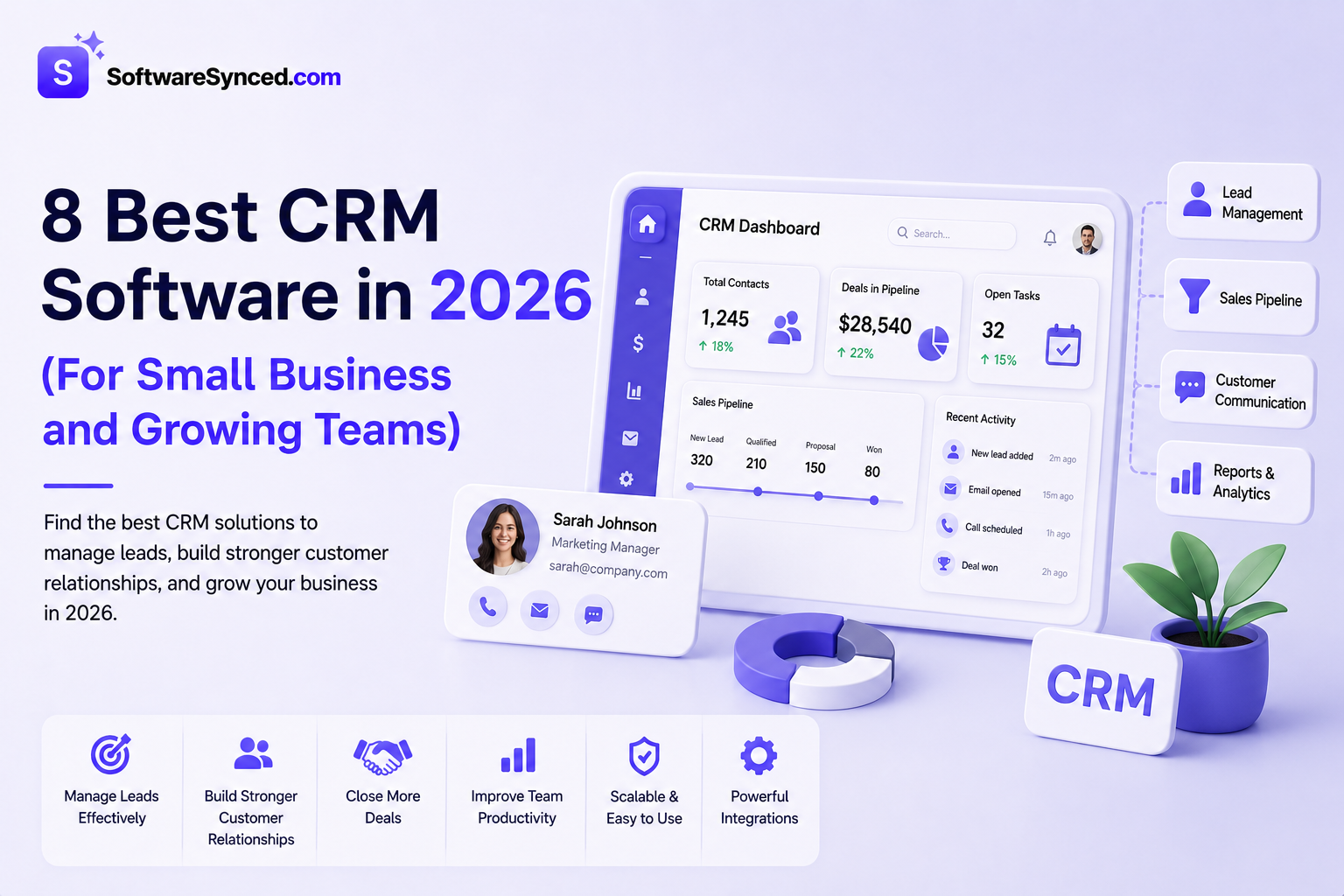
Customer relationship management software is one of the most consequential software purchases a growing business makes — and one of the most frequently regretted. The wrong CRM adds administrative overhead without improving sales outcomes. The right one becomes the operating system for your revenue team.
The challenge is that CRM pricing is deliberately confusing. Vendors lead with low per-seat numbers, then layer add-ons, tier restrictions, and mandatory onboarding fees that make the real cost two to four times the advertised price. This guide cuts through that to show what each platform actually costs at realistic team sizes, what is locked behind higher tiers, and which type of business each one is actually built for.
How We Evaluated These Tools
Every CRM on this list was assessed the same way: by comparing pricing structures, testing core capabilities, and cross-checking details published directly on each provider’s website. Here’s what we looked at:
- Pricing structure: entry-level cost, real per-seat price at 5, 10, and 25 users, add-on costs, and any hidden fees or mandatory onboarding charges
- Pipeline and sales features: quality of the deal view, automation depth, and what is genuinely available on entry plans versus locked behind upgrades
- Ease of use: how intuitive the interface is for non-technical sales teams, and the realistic adoption rate based on user feedback
- Integrations: native connections with email, marketing, and ecommerce tools versus Zapier-dependent workarounds
- Scalability: how pricing and features hold up as a team grows from 5 to 50+ users, and where the cost cliffs appear
- Customer support: what support channels are available on entry plans, and whether onboarding fees are mandatory
- Independent user feedback: ratings and reviews from verified users on G2, Capterra, and TrustRadius
TL;DR: Best CRM Software Overview
HubSpot CRM is the easiest starting point thanks to a genuinely usable free plan. Pipedrive suits sales-first teams that want a clean, visual pipeline. Zoho CRM delivers the most features for the price if you don’t mind a steeper setup. Salesforce only makes sense once your team and processes outgrow what the smaller platforms can handle.
Quick Comparison Table
| CRM | Free Plan | Entry Paid Price | Users on Entry Plan | Automation Included | Best For |
|---|---|---|---|---|---|
| HubSpot | ✅ Unlimited users | $15/user/month | Unlimited | ❌ (requires upgrade) | Beginners, inbound marketing teams |
| Pipedrive | ❌ | $14/user/month (annual) | Unlimited | ❌ (requires Growth) | Sales-focused SMB |
| Zoho CRM | ✅ 3 users | $14/user/month | Unlimited | ✅ Basic on Standard | Budget-conscious teams |
| Freshsales | ✅ 3 users | $9/user/month | Unlimited | ✅ Basic on Growth | SMBs needing built-in phone |
| Monday CRM | ✅ 2 seats | $12/seat/month | 3-seat minimum | ❌ (requires Pro) | Visual workflow teams |
| Salesforce | ❌ | $25/user/month | Unlimited | ✅ | Enterprise organisations |
| Close | ❌ | $49/user/month | Unlimited | ✅ All tiers | Inside sales teams |
| Streak | ✅ | $15/user/month | Unlimited | ✅ Basic | Gmail-native teams |
What to Look for in a CRM
Pipeline management. A visual pipeline showing exactly where every deal stands — what stage it is in, when it was last touched, and what action is needed — is the core of any sales CRM. The quality and flexibility of the pipeline view varies considerably.
Automation. Following up with leads manually is a scaling problem. CRMs that automate follow-up sequences, lead assignment, and task creation remove the most common source of dropped deals. Watch carefully for which tier automation unlocks on — several platforms advertise automation but gate it behind mid or high tiers.
Real pricing at your team size. Per-seat pricing compounds quickly. A CRM that costs $15/user/month is $150/month for a 10-person team on a $1,800/year commitment. Run the actual calculation for your team size — at 10 users, the spread between the cheapest and most expensive platforms on this list is over $40,000 per year.
Integration with your existing tools. A CRM that does not connect to your email, calendar, and marketing tools creates data silos. Check specifically whether the integrations you need are native or require a paid Zapier connection.
Adoption rate. The most capable CRM is worthless if your sales team does not use it. Ease of use is not a soft factor — it is the difference between a platform that improves outcomes and one that collects dust.
1. HubSpot CRM — Best for Beginners and Growing Teams
Free plan: Yes (unlimited users, up to 1M contacts) | Paid starting price: $15/user/month (Starter) | Best for: Businesses starting with CRM, inbound marketing teams, and anyone who wants a functional free tier before committing
HubSpot’s free CRM is genuinely useful — unlimited users, up to 1,000,000 contacts, deal pipeline, basic email tools, and activity tracking. For a business evaluating CRM for the first time, this is the right starting point. You can run a real sales operation on the free plan before spending a dollar.
One of the reasons many companies choose HubSpot is because of its marketing automation features. Businesses can run email marketing campaigns, track website activity, and manage leads from channels like Google Ads directly inside the CRM. This marketing-to-sales integration is what separates HubSpot from pure sales CRMs like Pipedrive — if your team generates leads through content, paid ads, or email marketing, HubSpot keeps all of that in one place.
Key features in 2026:
Free pipeline management — visual deal pipeline with unlimited deals and contacts on the free tier, giving you a functional sales view without paying anything.
Sequences and email automation — automated follow-up sequences that send personalised emails on a schedule, available from Starter at $15/user/month, reducing manual follow-up time significantly.
Marketing Hub integration — if you are already running email marketing on HubSpot (covered in our guide to the best AI email marketing tools in 2026), the CRM data and marketing data share the same platform, removing the integration overhead of connecting separate tools. For a deeper look at how HubSpot stacks up against a popular alternative, our HubSpot vs Monday CRM comparison covers both platforms side by side.
The honest trade-off: HubSpot’s most expensive hidden cost is the Professional cliff — from $20 per seat to $890 per month base with a mandatory $3,000 onboarding fee. The free and Starter tiers are excellent value. The jump to Professional is a significant budget decision. Plan for what tier you realistically need in 12 months — if you will need advanced automation and custom reporting, factor the Professional cost into your evaluation rather than being surprised at renewal.
Best for: Teams starting with CRM who want a functional free tier, businesses running inbound marketing alongside sales, and organisations that will benefit from HubSpot’s marketing and CRM integration.
Not ideal for: Sales-led teams that need a focused pipeline tool without paying for marketing features — Pipedrive or Freshsales deliver better pure-CRM value at lower cost.
2. Pipedrive — Best Visual Pipeline for Sales Teams
Free plan: No (14-day trial) | Paid starting price: $14/user/month (Lite, annual) | Best for: Sales-focused teams of 5–50 that want the clearest visual pipeline in the SMB category
Pipedrive is a genuinely excellent sales-focused CRM for teams of 5–50 who value visual pipeline management and ease of use. The Growth plan ($39/user) is the realistic starting point for any team, and Premium ($49/user) delivers the best overall value once you factor in the bundled add-ons.
Pipedrive is pure sales CRM without marketing, service, or project features — which is both its strength (focus) and limitation (narrow scope). For teams that want a CRM that is entirely about closing deals without the bloat of features they will never use, Pipedrive’s focused approach reduces the learning curve and increases adoption.
The drag-and-drop kanban interface has the highest adoption rate among CRM-skeptical sales reps — the most common point of failure for CRM implementations is reps not using it, and Pipedrive’s interface consistently earns high marks on this measure.
Key features in 2026:
Visual pipeline — Pipedrive’s drag-and-drop deal view, with colour-coded deal age and stage probability, is the most intuitive pipeline interface in its category. Moving a deal forward takes two clicks.
Deal rotting — flags deals that have not been touched in a configurable number of days, preventing leads from dying in the pipeline without any action. This single feature is cited by more Pipedrive users as a revenue-protective mechanism than any other.
AI sales assistant — suggests next actions based on deal activity, highlights at-risk deals, and summarises pipeline health — available on Growth plans and above.
The honest trade-off: Pipedrive is strongest for sales-led teams running a fairly linear pipeline. It can become expensive (or limiting) for marketing-heavy or automation-complex organisations. Email sequences — a basic sales need for most teams — require the Growth plan at $39/user/month, not the entry Lite tier. Add-ons (LeadBooster, Smart Docs, Campaigns) raise the true monthly cost above the base per-user rate for teams that need them.
Best for: Sales-focused SMB teams that want the clearest visual pipeline, high rep adoption, and a focused tool without marketing or service overhead.
Not ideal for: Marketing-led organisations, teams needing CRM and marketing automation in one platform, or businesses that want a permanent free tier.
3. Zoho CRM — Best Value for Feature Depth
Free plan: Yes (3 users) | Paid starting price: $14/user/month (Standard) | Best for: Budget-conscious teams that need a deep feature set without Salesforce pricing
Zoho CRM is a great CRM tool for small businesses that want a flexible system without paying insane prices. One feature that makes Zoho stand out is its built-in AI assistant, called Zia. The AI can help analyse sales trends, suggest the best times to contact prospects, and give insights that help sales teams improve their processes.
Zoho CRM Standard at $14/user/month provides automation, workflow rules, and scoring rules that HubSpot gates behind much more expensive tiers. For teams that need CRM sophistication but cannot justify Salesforce or HubSpot Professional pricing, Zoho consistently delivers the best feature-to-cost ratio in the category.
Key features in 2026:
Zia AI — built-in AI assistant that analyses deals, suggests optimal contact times, detects anomalies in sales performance, and enriches contact records automatically. Available from the Professional tier.
Blueprint process management — define and enforce your sales process with mandatory steps, approval workflows, and transition rules. For teams that need to standardise how deals move through the pipeline, Blueprint is Zoho’s strongest differentiator.
Extensive integration ecosystem — native integrations with the full Zoho suite (Zoho Books, Zoho Desk, Zoho Campaigns), Google Workspace, Microsoft 365, and most major business tools.
The honest trade-off: Zoho’s UI has improved significantly but remains less polished than HubSpot or Pipedrive. The sheer feature breadth — while valuable — can make initial setup and training more involved. For teams without a dedicated administrator, the configuration overhead is real. The free tier is limited to 3 users and basic features, making it less useful as a long-term free option than HubSpot’s free tier.
Best for: Cost-conscious teams needing enterprise-level features — AI, process automation, advanced reporting — at SMB pricing.
Not ideal for: Teams that prioritise simplicity and ease of adoption over feature depth — HubSpot or Pipedrive have better onboarding experiences for non-technical users.
4. Freshsales — Best for Built-in Phone and AI
Free plan: Yes (3 users) | Paid starting price: $9/user/month (Growth) | Best for: SMBs that make calls as part of their sales process and want phone, email, and AI in one platform
Freshsales Growth at $9 per user per month is the cheapest paid CRM from a major vendor. The free plan supports 3 users with basic contact management. What sets Freshsales apart is the built-in phone dialer available on paid plans: calling, email sequences, and Freddy AI lead scoring without integrating separate tools.
For teams where phone calls are a significant part of the sales process, the built-in dialer is a real operational advantage. Adding a separate calling tool (Aircall, JustCall, Dialpad) to a CRM adds $25–40/user/month. Freshsales eliminates that add-on cost with a comparable native dialer at the Growth tier.
Key features in 2026:
Freddy AI — Freshsales’ AI layer scores leads based on engagement and profile data, suggests next actions, predicts deal outcomes, and generates contact summaries. Available from the Pro tier.
Built-in phone dialer — make and receive calls, auto-log call recordings, and set follow-up tasks without leaving the CRM. Available from the Growth plan.
Multi-channel engagement — email, phone, chat, WhatsApp, and SMS all manageable from the same contact view without switching platforms.
The honest trade-off: At the Growth tier, Pipedrive and Freshsales are priced identically — but Freshsales includes a phone dialer and Pipedrive does not. If calling is central to your process, Freshsales is the stronger value at this price point. If your sales process is primarily email-driven, the dialer advantage disappears and Pipedrive’s pipeline UX may be preferable.
Best for: Inside sales and SDR teams that rely on phone calls, want AI lead scoring, and want to avoid paying for a separate calling tool alongside their CRM.
Not ideal for: Teams with email-dominant sales processes where the dialer adds cost without adding value — Pipedrive or HubSpot are cleaner fits.
5. Monday CRM — Best for Visual Workflow Teams
Free plan: Yes (2 seats, basic) | Paid starting price: $12/seat/month (3-seat minimum) | Best for: Teams already using Monday.com for project management who want CRM in the same platform
Monday CRM advertises $12 per seat but the Basic plan includes zero automations — it is a shared contact list, not a CRM. The functional starting plan is Pro at $28 per seat with email sequences, forecasting, and 25,000 monthly automations. All plans require a 3-seat minimum.
This is the most important pricing caveat on this list for Monday CRM: the $12/seat entry price is functionally a contact database, not a working CRM. For a team that needs sequences, forecasting, and automation — the features that make CRM worth buying — the real entry price is $28/seat/month with a 3-seat minimum, meaning the floor is $84/month.
That said, for teams already embedded in Monday’s visual board interface for project management and operations, Monday CRM’s advantage is the ability to manage deals, contacts, and projects in the same workspace. The context-switching overhead of moving between a separate CRM and Monday for project delivery disappears.
Key features in 2026:
Visual board interface — the same drag-and-drop board that Monday users know for project management, applied to deal pipelines and contact management.
Email sync and sequences — available on Pro plans, with two-way Gmail and Outlook integration and automated follow-up sequences.
Cross-board automation — connect CRM boards to operations boards, triggering project creation automatically when a deal closes — the feature that Monday’s existing users find most valuable.
The honest trade-off: As a standalone CRM for a team with no existing Monday infrastructure, the value proposition is weaker than Pipedrive or HubSpot at equivalent pricing. Monday CRM earns its place specifically for teams already paying for Monday’s project management platform. For a detailed breakdown of how Monday CRM compares directly against HubSpot on pricing, AI features, and sales depth, our HubSpot vs Monday CRM comparison covers both platforms side by side.
Best for: Teams already using Monday.com for project management or operations who want CRM in the same platform without managing a separate tool.
Not ideal for: Teams with no existing Monday relationship — Pipedrive or Freshsales deliver better pure CRM value at equivalent or lower pricing.
6. Salesforce — Best for Enterprise Organisations
Free plan: No | Paid starting price: $25/user/month (Starter Suite, limited to 10 users) | Best for: Organisations of 100+ people with complex sales processes that require enterprise-grade customisation
Salesforce is the global revenue leader with 20.0% of the CRM market in 2025 — its 13th straight year at #1. The platform serves over 150,000 customers globally and is the benchmark against which every other CRM is measured on customisation depth, integration breadth, and enterprise workflow capability.
Salesforce accommodates virtually any sales process, industry requirement, or organisational structure through its extensive app ecosystem and development platform. For companies with genuinely complex requirements — territory management, multi-currency operations, approval workflows across departments, deep ERP integration — Salesforce’s configurability is unmatched.
For 10–50 person teams that need a sales CRM (not a full enterprise platform), Pipedrive delivers 80% of the value at 40% of the cost. Salesforce makes sense when you need complex approval workflows, territory management, deeply custom objects, or platform-level extensibility. Most teams under 50 people don’t need those things.
Key features in 2026:
AppExchange — over 7,000 third-party apps and integrations available natively, covering virtually every business system. For enterprise teams with complex tech stacks, this ecosystem depth is a genuine competitive advantage.
Einstein AI — Salesforce’s AI layer across lead scoring, opportunity insights, pipeline forecasting, and automated data enrichment.
Customisation without limits — custom objects, custom fields, custom workflows, custom reporting — the level of configuration that growing businesses eventually need and that smaller CRMs cannot provide.
The honest trade-off: Total cost of ownership often reaches $200+/user/month after add-ons, implementation, and administrator costs. Salesforce is expensive to implement, expensive to administer, and expensive to maintain. For teams under 50 people without dedicated Salesforce administrators, the implementation overhead consistently exceeds the operational benefit. The Starter Suite at $25/user/month is limited to 10 users and missing most features that make Salesforce valuable.
Best for: Enterprise organisations of 100+ people with complex sales processes, multi-department workflows, and the administrative resources to implement and maintain Salesforce properly.
Not ideal for: Small or mid-size teams — the cost, complexity, and implementation overhead are not justified by the operational benefit at smaller team sizes.
7. Close — Best for Inside Sales Teams
Free plan: No (14-day trial) | Paid starting price: $49/user/month | Best for: Inside sales teams making high call and email volumes who want all features at every tier
Close is built for inside sales teams making high volumes of calls and emails. Flat pricing with all features included — no tier upsell games.
Close’s defining characteristic is its pricing philosophy: every feature is available on every plan. There is no feature locked behind a higher tier, no add-on required for sequences or calling, no professional tier gating the features you actually need. At $49/user/month for the Startup plan, you get calling, SMS, email sequences, reporting, and automation — features that cost significantly more on tiered platforms once you add up what tier unlocks what.
Key features in 2026:
Built-in calling and SMS — make calls, send SMS, and manage voicemail drops directly in Close without integrating a separate calling tool, at no additional per-minute cost on paid plans.
Email sequences — automated multi-touch email sequences with personalisation, A/B testing, and open and click tracking, included on all plans.
Power Dialler and Predictive Dialler — for teams making large call volumes, Close’s Power Dialler queues calls automatically and the Predictive Dialler calls multiple numbers simultaneously, connecting reps only when someone answers.
The honest trade-off: $49/user/month is the highest entry price on this list. For a 10-person team, that is $490/month ($5,880/year) — considerably more than Freshsales or Pipedrive at comparable team sizes. The all-inclusive pricing philosophy only makes financial sense if you would otherwise be paying separately for a calling tool, sequences, and automation on a cheaper CRM. Run the total cost comparison including add-ons before dismissing Close’s higher headline price.
Best for: Inside sales teams with high call and email volume who want all features without tier restrictions and are prepared to pay for genuine all-inclusive pricing.
Not ideal for: Teams with moderate call volumes where Freshsales’ built-in dialer at $9/user/month covers the need at a fraction of the cost.
8. Streak — Best for Gmail-Native Teams
Free plan: Yes | Paid starting price: $15/user/month | Best for: Small teams and freelancers who live in Gmail and want CRM that does not require a separate application
Streak is the only CRM on this list that runs entirely inside Gmail — there is no separate application, no separate login, and no context-switching between your inbox and your CRM. For small teams and freelancers whose entire client communication happens through Gmail, this removes the adoption problem that most CRM implementations face. You cannot forget to use a CRM that lives inside the tool you open 50 times a day.
Key features in 2026:
Pipeline view inside Gmail — visual deal pipelines that pull from your email threads, contacts from your inbox, and tasks from your calendar — all surfaced inside Gmail without leaving the browser.
Email tracking and mail merge — open and click notifications on individual emails, and mail merge for personalised bulk outreach, built into Gmail’s compose window.
Shared pipelines — team members share pipeline and contact views within Gmail, with permission controls for what each person can see and edit.
The honest trade-off: Streak’s Gmail dependency is both its strength and its limitation. Teams using Google Workspace get the full benefit. Teams using Microsoft Outlook or mixed email environments get nothing. The feature depth also does not match dedicated CRMs at equivalent pricing — Streak covers the core CRM use case well, but advanced automation, AI features, and reporting are more limited than HubSpot or Zoho at comparable cost.
Best for: Freelancers, consultants, and small teams entirely on Google Workspace who want CRM without a separate application to manage.
Not ideal for: Teams using Outlook or mixed email clients, or growing businesses that will need more advanced automation and reporting than Streak’s Gmail-native approach can support.
The Hidden Cost Problem Most CRM Buyers Miss
The biggest factor in CRM cost is not the sticker price — it is implementation, integrations, and add-ons that inflate the real bill two to four times what the pricing page shows.
Before committing to any CRM, run this checklist:
Which add-ons will you actually need? Pipedrive’s LeadBooster, HubSpot’s Sales Hub, Freshsales’ AI — each is priced separately. The platform that looks cheapest on the base plan may be more expensive once you add what you need.
What does your team of 10 or 20 actually cost? Per-seat pricing compounds. Run the exact calculation for your current team size and your expected team size in 12 months.
What does implementation cost? Salesforce implementations routinely cost $10,000–50,000. HubSpot Professional requires a mandatory $3,000 onboarding fee. Budget this into the first-year cost, not just the monthly rate.
What integrations require Zapier? Native integrations are free. Zapier costs $49–299/month depending on task volume. CRMs with fewer native integrations often have hidden Zapier costs at the total stack level.
Final Verdict
The CRM market has a tool for every situation — the mistake is choosing based on brand recognition rather than use case fit.
HubSpot is the right starting point for most teams — the free tier is genuinely functional and the upgrade path is predictable. Pipedrive is the correct choice for sales-led teams that want a focused pipeline tool with high rep adoption and no marketing overhead. Zoho CRM delivers enterprise-grade feature depth at a fraction of Salesforce’s cost for budget-conscious teams willing to invest in configuration. Freshsales is the strongest value for teams that rely on phone calls. Monday CRM makes sense only for teams already embedded in the Monday ecosystem. Salesforce is justified for enterprise organisations with complex requirements and the resources to implement it properly. Close earns its premium pricing for inside sales teams with high call and email volume. Streak solves the CRM adoption problem for Gmail-native small teams.
If you are also evaluating how CRM connects to your email marketing and automation stack, our guide to the best AI email marketing tools in 2026 covers the platforms — including HubSpot — that bridge CRM and marketing automation, and our guide to the best ecommerce marketing tools covers the broader stack for ecommerce businesses.
Frequently Asked Questions
What is the best CRM software in 2026?
For most small businesses, HubSpot CRM is the best starting point — the free tier is genuinely functional and the upgrade path is clear. For sales-focused teams, Pipedrive is the strongest pick. For budget-conscious teams needing enterprise-level features, Zoho CRM delivers the best feature-to-cost ratio. There is no single best CRM — the right choice depends entirely on your team size, sales process, and budget.
How much does CRM software cost?
CRM pricing ranges from free (HubSpot, Zoho, Freshsales) to $300+/user/month for Salesforce Enterprise. For most small businesses, expect to pay $9–49/user/month on a paid plan. The more important figure is the real cost — including add-ons, integrations, and implementation — which is typically two to four times the advertised per-seat price.
Do I need a CRM if I am a freelancer or solopreneur?
Possibly, but a lightweight option is usually sufficient. Streak runs inside Gmail at no cost and covers basic pipeline and contact tracking without any setup overhead. HubSpot’s free tier also works well for solo operators with a small number of active deals. A full-featured CRM like Salesforce or Pipedrive is overkill until you have a sales team.
What is the difference between a CRM and email marketing software?
A CRM manages relationships and tracks deals through your sales pipeline. Email marketing software sends campaigns and automations to lists of contacts. The two often overlap — HubSpot and Zoho include both — but a pure CRM like Pipedrive or Close does not replace an email marketing platform. For ecommerce stores, our guide to the best email marketing tools covers the platforms that sit alongside or overlap with CRM.
Is HubSpot CRM actually free?
Yes — the free tier includes unlimited users, up to 1 million contacts, a deal pipeline, and basic email tools. The limitations kick in when you need automation, sequences, and advanced reporting, which require paid plans. The jump from Starter ($15/user/month) to Professional ($890/month base plus a mandatory $3,000 onboarding fee) is the biggest pricing cliff to plan for.
Which CRM is easiest to use?
HubSpot and Pipedrive consistently rank highest on ease of use in independent reviews. HubSpot’s onboarding is the most guided. Pipedrive’s visual pipeline has the highest adoption rate among sales reps who are typically resistant to CRM tools. Salesforce and Zoho have steeper learning curves but more feature depth once configured.
Can I switch CRMs later?
Yes, but it is not painless. Contact and deal data exports as a CSV and imports into any platform. What does not transfer cleanly: automation workflows, email templates, custom fields, and historical activity logs. The longer you use a CRM and the more custom configuration you build, the more painful a migration becomes. Choosing carefully now is significantly cheaper than migrating at 50 users.