

Last updated: September 24th 2026 | Reading time: 15 minutes
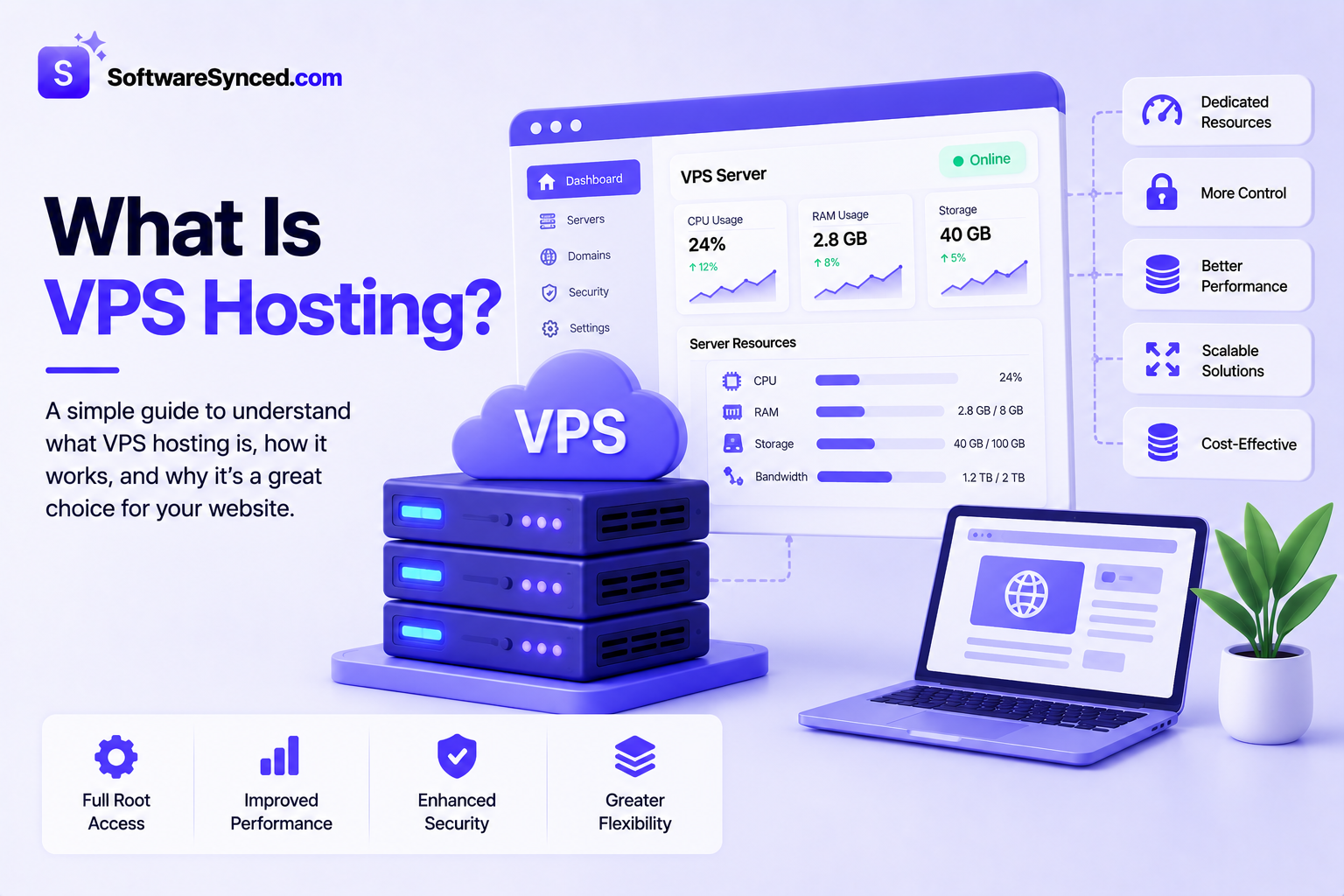
VPS hosting is a type of web hosting that gives you a private virtual server environment on a physical server shared with other customers. Unlike shared hosting, a VPS provides an allocated amount of CPU, RAM, storage, and other resources, giving you more control and flexibility without the cost of renting an entire physical server.
TL;DR: What Is VPS Hosting?
VPS (Virtual Private Server) hosting gives you an isolated virtual server with its own allocated CPU, RAM and storage on a shared physical machine. It sits between shared hosting (cheaper, less control) and a dedicated server (a whole physical machine). You get root access and far more flexibility — in exchange for more technical responsibility.
VPS stands for Virtual Private Server. VPS hosting uses virtualization technology to divide a physical server into multiple isolated virtual environments. Each VPS can run its own operating system and applications and can typically be configured much more freely than a shared hosting account.
For many websites and applications, VPS hosting sits between shared hosting and dedicated servers. It offers more control and resources than shared hosting while generally costing less than an entire dedicated server.
If you're currently comparing providers, see our guide to the best VPS hosting providers in 2026 for a comparison of the leading options.
What Does VPS Hosting Mean?
A Virtual Private Server is essentially a virtualized computer running on a physical server.
A hosting company takes a physical server and uses virtualization software, called a hypervisor, to create multiple virtual machines on that hardware. Each virtual machine operates as an isolated environment with its own operating system, CPU allocation, memory, storage and network configuration.
Google Cloud describes a VPS as an isolated virtual environment on a physical server, while Red Hat explains that virtualization allows multiple virtual machines to run on the same physical hardware through a hypervisor.
The physical server is often called the host, while the individual VPS environments are called virtual machines or guest machines.
A simple example
Imagine a physical server with:
- 32 CPU cores
- 128 GB RAM
- 4 TB storage
A hosting provider could use virtualization to create several VPS environments on that server.
One VPS might receive:
- 4 vCPUs
- 16 GB RAM
- 500 GB storage
Another could receive:
- 8 vCPUs
- 32 GB RAM
- 1 TB storage
Although the VPS instances share the underlying physical hardware, each operates as its own virtual server.
How Does VPS Hosting Work?
VPS hosting works through a layer of virtualization software called a hypervisor.
The hypervisor sits between the physical hardware and the virtual machines. It allocates physical resources such as CPU, RAM, storage and networking to individual virtual machines while keeping those environments separated.
Red Hat explains that a hypervisor partitions physical resources so virtual environments can use them, while Google Cloud describes the hypervisor as the layer that allocates resources between guest virtual machines.
The basic structure looks like this:
Each VPS can then be configured independently.
For example, one customer could run Ubuntu with WordPress, while another runs Debian with Docker and several web applications.
What does the hypervisor do?
The hypervisor manages the relationship between the physical server and the virtual machines.
Its responsibilities can include:
- Allocating CPU resources
- Allocating RAM
- Managing virtual storage
- Managing virtual networking
- Isolating virtual machines
- Starting and stopping virtual machines
- Managing access to physical hardware
There are different types of hypervisors. Type 1 hypervisors run directly on physical hardware, while Type 2 hypervisors run on top of an operating system. Type 1 virtualization is commonly associated with server and data-center environments.
VPS Hosting vs. Shared Hosting
The biggest difference between VPS hosting and shared hosting is how server resources and control are provided.
With shared hosting, many customer websites use the same hosting environment. With VPS hosting, each customer receives a separate virtual server environment with an allocated set of resources.
Google Cloud describes shared hosting as multiple users sharing a physical server's resources, while VPS hosting provides a defined virtual environment with greater control and allocated resources.
| Feature | Shared Hosting | VPS Hosting |
|---|---|---|
| Server environment | Shared | Isolated virtual server |
| CPU | Shared | Allocated vCPU resources |
| RAM | Shared | Allocated RAM |
| Storage | Shared | Allocated storage |
| Root access | Usually unavailable | Usually available |
| Operating system | Provider-managed | User-selectable in many cases |
| Server configuration | Limited | Extensive |
| Technical knowledge | Low | Moderate to high |
| Scalability | Limited | Higher |
| Cost | Lower | Higher |
Why move from shared hosting to VPS?
A website may eventually outgrow shared hosting. If yours hasn't yet, our roundup of the best web hosting services covers the shared and managed options worth considering.
This can happen when:
- Traffic increases
- A website becomes slower under load
- An application requires additional RAM
- You need custom server software
- You need root access
- You want to run Docker
- You need more control over security settings
- You need to host multiple applications
A VPS provides a much more configurable environment.
However, it also means taking on more responsibility.
VPS Hosting vs. Dedicated Hosting
A VPS and dedicated server both give you much more control than shared hosting, but they use physical resources differently.
With a VPS, your virtual server runs on physical infrastructure that is also used by other VPS customers.
With a dedicated server, you rent the entire physical server.
Google Cloud describes VPS hosting as a middle ground between shared and dedicated hosting: you get a defined virtual environment and greater control without having to rent an entire physical machine.
| Feature | VPS | Dedicated Server |
|---|---|---|
| Physical hardware | Shared | Entire server |
| Virtualization | Usually yes | Usually unnecessary |
| Performance | High | Very high |
| Control | High | Very high |
| Cost | Lower | Higher |
| Resource isolation | Virtual | Physical |
| Scalability | Usually easier | Hardware-dependent |
| Best for | Growing websites/apps | High-demand workloads |
For many small businesses and growing websites, a VPS provides enough resources without the additional cost of dedicated hardware.
A dedicated server becomes more attractive when you need the full capacity of a physical machine or require specific hardware configurations.
What Resources Do You Get With a VPS?
A VPS plan normally includes several core resources.
CPU
CPU determines how much processing capacity your server has.
Providers may describe CPU resources as:
- vCPU
- CPU cores
- shared CPU
- dedicated CPU
More CPU resources can help applications handle more simultaneous processing, but the number of cores isn't the only performance factor. CPU generation and architecture can also matter.
RAM
RAM is the server's short-term working memory.
Applications use RAM to hold active processes and data.
A small website might need relatively little memory, while a server running multiple applications, databases or containers can require significantly more.
As a general rule, more complex workloads require more RAM.
Storage
VPS storage contains your operating system, applications, website files, databases and other data.
Providers commonly offer:
- SSD storage
- NVMe SSD storage
NVMe storage generally provides higher storage performance than traditional SATA SSDs, which can be useful for databases and applications with frequent disk operations.
Bandwidth
Bandwidth determines how much data can travel between your VPS and the internet.
For example, a website serving large images, videos or downloads can consume considerably more bandwidth than a small text-based website.
Providers may advertise:
- Monthly data transfer
- Metered bandwidth
- Unmetered traffic
- Unlimited traffic
However, these terms can have different meanings between providers, so always check the provider's network and acceptable-use policies.
IP addresses
A VPS typically receives at least one public IP address.
This allows users and applications on the internet to connect to the server.
Depending on the provider and plan, you may be able to purchase additional IPv4 or IPv6 addresses.
What Can You Use a VPS For?
VPS hosting is much more flexible than traditional shared hosting.
You can use a VPS to run websites, applications, databases, development environments and many other services.
Hosting websites
A VPS can host:
- WordPress
- Business websites
- Blogs
- Ecommerce websites
- Forums
- Content management systems
A VPS can be particularly useful when a website has outgrown shared hosting.
Hosting web applications
Developers can use VPS servers to host:
- APIs
- SaaS applications
- Web applications
- Backend services
- Customer portals
AWS, for example, provides virtual servers through Amazon EC2 that users can configure with their preferred operating systems, applications, storage and networking resources.
Running Docker
A VPS with root access can be used to run Docker containers.
This allows developers to package applications and their dependencies into isolated containers.
A VPS can therefore act as a relatively inexpensive environment for running multiple applications on one server.
Development and testing
Developers can create separate VPS environments for:
- Testing
- Staging
- Development
- CI/CD workflows
- Temporary applications
Virtual machines are commonly used for development and testing because they provide isolated environments without requiring separate physical machines.
Hosting databases
A VPS can also run databases such as:
- MySQL
- MariaDB
- PostgreSQL
- MongoDB
The appropriate VPS configuration depends heavily on database size, workload and expected traffic.
Database-heavy applications may benefit from faster NVMe storage and additional RAM.
Running automation tools
A VPS can host automation software and background services that need to run continuously.
Examples include:
- Workflow automation
- Scheduled scripts
- Monitoring tools
- Bots
- APIs
- Webhooks
Hosting AI applications
VPS hosting can also be used for lightweight AI applications and AI-powered automation.
For example, a VPS may be suitable for:
- AI agents
- Automation workflows
- AI APIs
- Self-hosted AI interfaces
- Development environments
However, a standard VPS is not automatically suitable for GPU-intensive AI workloads. Large AI models and demanding inference or training workloads may require specialized GPU infrastructure. For hosts building AI features into their plans, see our list of the best AI web hosting tools.
What Is Root Access?
One of the biggest advantages of VPS hosting is root access.
Root access gives you administrative control over the server.
On a Linux VPS, this generally allows you to:
- Install software
- Remove software
- Configure services
- Modify system files
- Create users
- Configure firewalls
- Install databases
- Run applications
- Change server settings
Amazon EC2 provides a useful example of this type of server control: users can select an operating system, connect to their virtual server, install updates and configure applications.
Root access is powerful, but it also creates responsibility.
If you accidentally change an important system configuration or expose a service to the internet, you can create security or availability problems.
Managed vs. Unmanaged VPS Hosting
Not every VPS requires you to manage everything yourself.
There are two broad approaches.
Unmanaged VPS
With an unmanaged VPS, you are generally responsible for the server's administration.
This can include:
- Operating system updates
- Security patches
- Firewall configuration
- Application installation
- Server monitoring
- Backups
- Troubleshooting
Unmanaged VPS hosting is usually better suited to people who are comfortable administering servers.
Managed VPS
With managed VPS hosting, the hosting provider takes care of more of the server administration.
Depending on the provider, managed services may include:
- Server setup
- Updates
- Security configuration
- Monitoring
- Backups
- Technical assistance
Managed VPS hosting generally costs more, but it can save significant time.
Which one should you choose?
Choose an unmanaged VPS if you want maximum control and are comfortable managing Linux or another server operating system.
Choose a managed VPS if you want more technical assistance and would rather focus on your website or application than server administration.
Is VPS Hosting Secure?
VPS hosting provides isolation between virtual server environments, but that doesn't mean a VPS is automatically secure.
Virtualization can isolate virtual machines from one another, but the security of an individual VPS still depends heavily on how it is configured and maintained. Google Cloud notes that VMs provide isolation, while also emphasizing that proper configuration, updates and security practices remain important.
A VPS security setup should generally include:
Keep the operating system updated
Install security patches and updates regularly.
Use a firewall
Only expose the network ports your applications actually require.
Use strong authentication
Use strong passwords where necessary and preferably SSH keys for server access.
Disable unnecessary services
Every unnecessary internet-facing service can increase your attack surface.
Create backups
A VPS provider's infrastructure protection is not necessarily the same thing as a backup of your data.
Monitor the server
Monitor CPU, RAM, disk usage, network traffic and important services.
Protect applications
Keeping the operating system updated isn't enough if your WordPress installation, plugins, frameworks or other applications are outdated. Our guide to the best website security tools covers firewalls, malware scanning and monitoring for the application layer.
How Much Does VPS Hosting Cost?
VPS pricing varies considerably depending on the resources and type of infrastructure you need.
Entry-level VPS plans can cost only a few dollars per month, while high-resource servers can cost hundreds of dollars monthly.
The price is generally influenced by:
- CPU
- RAM
- Storage
- Storage type
- Bandwidth
- Data-center location
- Dedicated vs shared CPU
- Managed vs unmanaged hosting
- Backup options
- Operating system
- Control panel
- Contract length
Cloud infrastructure can use a different pricing model.
For example, Amazon EC2 uses usage-based pricing for its virtual servers, while many traditional VPS providers advertise fixed monthly configurations.
When comparing VPS prices, don't look only at the headline monthly figure.
Check:
Introductory price → Renewal price → Resources → Included features → Additional fees
A $5 VPS with very limited resources isn't necessarily better value than a $10 VPS with four times the RAM.
How Much RAM Do You Need for a VPS?
There's no universal RAM requirement because it depends on what you're running.
As a rough starting point:
| VPS RAM | Typical Use |
|---|---|
| 1 GB | Lightweight projects and testing |
| 2 GB | Small websites and simple applications |
| 4 GB | Business websites, WordPress and small applications |
| 8 GB | Multiple applications, Docker and larger websites |
| 16 GB+ | Databases, multiple services and heavier workloads |
These are general guidelines rather than strict requirements.
A lightweight website can run comfortably with less RAM than a database-heavy application.
Similarly, a VPS running several Docker containers can need considerably more memory than a VPS running one simple website.
What Are the Advantages of VPS Hosting?
VPS hosting has several advantages over shared hosting.
More control
You generally have far more control over the operating system and server configuration.
Better isolation
Your VPS operates in its own virtual environment rather than as another account inside a shared hosting environment.
Dedicated resource allocations
VPS plans typically provide defined CPU, RAM and storage allocations.
More flexibility
You can install software and configure the environment around your application.
Scalability
Many providers allow you to move to a larger VPS configuration as your requirements increase.
More predictable performance
Because resources are allocated to your VPS, performance can be more predictable than on basic shared hosting, although actual performance still depends on the provider's infrastructure and whether resources are shared.
Lower cost than dedicated servers
A VPS can provide many of the control benefits associated with a dedicated server without requiring you to rent an entire physical machine.
What Are the Disadvantages of VPS Hosting?
VPS hosting isn't automatically the right choice.
More technical knowledge
Managing a VPS can require knowledge of Linux, networking, security and server administration.
More responsibility
If you're running an unmanaged VPS, you're responsible for keeping the server secure and updated.
More expensive than shared hosting
A VPS generally costs more than entry-level shared hosting.
Resource limits
Even though a VPS provides allocated resources, it still has limits.
If your application requires significantly more CPU, RAM, storage or network capacity, you'll need to upgrade.
Misconfiguration can cause problems
Root access gives you control, but incorrect server configuration can cause security or performance problems.
VPS Hosting vs Cloud VPS
The terms VPS, cloud VPS and cloud VM are often used interchangeably, but providers can use them differently.
A traditional VPS is commonly presented as a virtual server with a fixed monthly configuration.
Cloud virtual machines are generally part of a larger cloud infrastructure platform.
Google Cloud describes a traditional VPS as commonly running on a physical server partitioned into virtual environments, while cloud VMs operate within larger pools of computing resources. Cloud VMs can provide additional flexibility and scalability depending on the platform.
For a simple website, the distinction may not matter much.
For a large application, however, cloud infrastructure can provide additional services such as:
- Load balancing
- Object storage
- Managed databases
- Private networking
- Auto scaling
- Multiple availability zones
- Managed Kubernetes
That's why developers building larger applications often evaluate cloud platforms separately from traditional VPS hosting.
VPS vs. Virtual Machine: Are They the Same Thing?
A VPS is essentially a type of virtual machine used as a hosted server.
A virtual machine is a broader concept.
For example, companies can run virtual machines:
- On their own physical servers
- In private clouds
- In public clouds
- Through VPS hosting providers
Google Cloud describes a VM as a software-based computer running in an isolated environment on host hardware.
So:
Virtual machine = the underlying technology/concept
VPS = a hosted virtual server service
VPS vs. Container: What's the Difference?
VPS hosting and containers provide isolation in different ways.
A VPS typically virtualizes the hardware and runs its own operating system.
A container generally shares the host operating system's kernel while isolating the application and its dependencies.
Red Hat and Google Cloud both describe containers as lighter-weight than VMs because containers don't require a complete operating system for each application.
| VPS / VM | Container | |
|---|---|---|
| Full OS | Yes | No |
| Isolation | Strong | Application-level |
| Resource overhead | Higher | Lower |
| Startup | Slower | Faster |
| Best for | Full server environments | Applications/services |
The two technologies are also commonly used together.
For example, you can run Docker containers inside a VPS.
When Should You Upgrade to VPS Hosting?
You may want to consider VPS hosting when shared hosting starts limiting your website or application.
Common signs include:
- Your website regularly uses available resources
- Traffic has grown significantly
- You need more server control
- You need root access
- You need custom software
- You want to run Docker
- You need a dedicated environment for an application
- Your website experiences performance issues under load
- You need more control over security configuration
You don't necessarily need VPS hosting simply because your website is growing.
If your current hosting environment performs well and gives you everything you need, upgrading isn't automatically beneficial.
Is VPS Hosting Right for You?
VPS hosting is usually a good fit if you need more control than shared hosting provides but don't yet need an entire physical server.
It's particularly useful for:
- Growing websites
- Developers
- Small businesses
- SaaS applications
- APIs
- WordPress sites
- Ecommerce stores
- Docker applications
- Development environments
- Self-hosted software
- Automation tools
Shared hosting may still be the better choice for a small website that doesn't require server-level access.
A dedicated server may make more sense for workloads that consistently require the full capacity of a physical machine.
Final Takeaway
A VPS is a virtual private server created through virtualization technology. It gives you an isolated server environment with allocated computing resources while allowing multiple VPS environments to run on the same physical infrastructure.
For website owners, the biggest attraction is the combination of control, resource allocation, flexibility and price.
Compared with shared hosting, VPS hosting gives you much more control over your environment. Compared with a dedicated server, it provides many of the same server-level capabilities at a lower cost.
The trade-off is that VPS hosting usually requires more technical knowledge and responsibility.
If you're considering making the move from shared hosting, start by determining how much CPU, RAM, storage and bandwidth your workload actually needs. Then compare providers based on those requirements rather than simply choosing the cheapest VPS plan.
For a current comparison of providers, see our guide to the Best VPS Hosting Providers in 2026.
Frequently Asked Questions
What does VPS stand for?
VPS stands for Virtual Private Server. It is a virtualized server environment that runs on physical server infrastructure and is isolated from other virtual server environments.
What is VPS hosting used for?
VPS hosting can be used for websites, WordPress, ecommerce stores, APIs, databases, Docker containers, development environments, automation tools and many other applications.
Is VPS hosting better than shared hosting?
VPS hosting provides more control, resource allocation and flexibility than shared hosting. However, it is also more expensive and usually requires more technical knowledge.
Is VPS hosting the same as a dedicated server?
No. A VPS is a virtual server running on shared physical infrastructure, while a dedicated server provides an entire physical machine to one customer.
Is VPS hosting good for WordPress?
Yes. VPS hosting can be a good option for WordPress websites that have outgrown shared hosting or require more server resources and configuration control.
Do I need technical knowledge to use a VPS?
It depends on whether the VPS is managed. An unmanaged VPS generally requires knowledge of server administration, Linux, networking and security. Managed VPS hosting provides more assistance.
Is VPS hosting secure?
VPS environments provide isolation, but security still depends on proper server configuration, updates, authentication, firewalls, backups and application security.
Can I run Docker on a VPS?
Yes. A VPS with sufficient resources and administrative access can run Docker and Docker Compose.
How much RAM do I need for a VPS?
Small websites may work with 1–2 GB of RAM, while 4–8 GB is a more comfortable range for many business websites, applications and Docker workloads. Larger databases and multiple services may require 16 GB or more.
Is VPS hosting good for AI?
VPS hosting can work well for lightweight AI applications, AI agents and automation. GPU-intensive AI training and inference usually require specialized GPU infrastructure.
How much does VPS hosting cost?
Entry-level VPS plans can cost only a few dollars per month, while larger servers can cost significantly more. Pricing depends on CPU, RAM, storage, bandwidth, management, location and other features.
What is the difference between a VPS and a cloud VM?
A traditional VPS is commonly offered as a virtual server with a defined configuration, while cloud VMs operate within larger cloud infrastructure platforms that can provide additional scalability and services.