

Last updated: 20 June 2026 | Reading time: 12 minutes
A website that gets hacked does not just lose data — it loses search rankings, customer trust, and often weeks of recovery time. WordPress alone powers over 40% of the web, which makes it the single largest target for automated attacks, credential stuffing, and malware injection. Security is not an optional add-on once your site has any traffic or stores any customer data.
The challenge is that “website security” covers several genuinely different categories — SSL encryption, web application firewalls, malware scanning and removal, DDoS protection, and backups — and most roundups blend them together without explaining what each one actually does or whether you need it.
This guide covers ten tools across those categories, organised by what they protect against, with real pricing and the honest trade-offs most comparisons skip. If you are setting up a new site, our guide to the best web hosting services in 2026 is worth reading alongside this one — several hosts now include meaningful security at the infrastructure level, which changes what you need to add on top.
Quick Comparison
| Tool | Category | Free Plan | Starting Price | Best For |
|---|---|---|---|---|
| Cloudflare | WAF, CDN, DDoS protection | ✅ Yes (generous) | ~$20/month (Pro) | Most websites, any platform |
| Sucuri | Malware cleanup + firewall | ❌ No (scanner only) | ~$10/month | Compromised sites needing cleanup |
| Wordfence | WordPress firewall + scanner | ✅ Yes (capable) | ~$99–119/year | WordPress sites wanting an in-dashboard plugin |
| Let’s Encrypt | Free SSL certificates | ✅ Yes (fully free) | Free | Anyone needing basic domain validation SSL |
| DigiCert | Paid SSL certificates | ❌ No | ~$218/year | Ecommerce, finance, sites needing EV/OV trust |
| MalCare | WordPress malware removal | ❌ No (7-day trial) | ~$99/year | WordPress sites wanting automated cleanup |
| SiteLock | Malware scanning + removal | ❌ No (trial only) | ~$200+/year | Businesses on shared hosting wanting bundled security |
| Patchstack | Vulnerability/patch management | ✅ Yes (limited) | ~$99/year | WordPress sites with many plugins |
| UpdraftPlus | Backup and restore | ✅ Yes (limited) | ~$70/year | Disaster recovery for any WordPress site |
| Imunify360 | Server-level security suite | ❌ No (hosting-bundled) | Included with some hosts | Hosting providers and resellers |
The Five Categories of Website Security (And What You Actually Need)
Before comparing tools, it helps to understand what each category protects against — because most small business sites do not need every layer, and paying for redundant protection is common.
SSL/TLS encryption protects data in transit between your visitor’s browser and your server — login credentials, payment details, form submissions. Every website needs this, full stop. The question is whether free certificate authority coverage (Let’s Encrypt) is sufficient, or whether your business needs the additional trust signals of a paid certificate.
Web Application Firewalls (WAF) sit between incoming traffic and your website, filtering out malicious requests — SQL injection attempts, cross-site scripting, brute-force login attacks — before they reach your server. This is your primary defence against automated attacks, which represent the overwhelming majority of attacks on small business websites.
Malware scanning and removal detects malicious code that has already been injected into your site — often through a compromised plugin, weak password, or outdated software — and removes it. This is reactive protection: useful after a WAF has failed or for sites that did not have one in place.
DDoS protection defends against traffic floods designed to overwhelm your server and take your site offline. Less commonly needed for small sites, but increasingly relevant as automated bot traffic has grown across the web.
Backups are not technically “security” but function as your last line of defence — if every other layer fails, a recent backup is what lets you restore your site rather than rebuild it from scratch.
A reasonable small business security stack typically combines one tool from the WAF category, automatic SSL (usually included with hosting), and a backup solution — with malware cleanup tools added reactively if needed rather than proactively for most low-risk sites.
1. Cloudflare — Best Overall (WAF, CDN, and DDoS Protection)
Free plan: Yes (genuinely capable) | Starting price: ~$20/month (Pro plan) | Best for: Most websites, regardless of platform
Cloudflare is the strongest starting point for website security in 2026, and the reason is simple: its free tier includes a web application firewall, free SSL, unlimited DDoS protection, and CDN performance benefits that most competitors charge for even on paid plans. For most small business websites, Cloudflare’s free plan alone represents a meaningful security upgrade over having no edge protection at all.
What Cloudflare provides:
- Free SSL/TLS — origin certificates that encrypt traffic and can proxy your server’s real IP address, hiding your origin server from direct attack
- WAF rules on the free tier — basic managed rulesets that block common attack patterns; the Pro plan ($20/month) unlocks the full managed ruleset and more granular controls
- Unlimited DDoS mitigation — included on every plan, including free, which is rare in this category
- Global CDN — improves site speed while also reducing direct load (and direct attack surface) on your origin server
The honest trade-off: Cloudflare is a security and performance layer for site owners, not a malware cleanup service. If your site is already compromised, Cloudflare will not remove existing malicious code — it only filters incoming traffic going forward. It also requires correct configuration (specifically, Full Strict SSL mode) to avoid leaving the connection between Cloudflare and your origin server unencrypted — a common misconfiguration that undermines the protection.
Best for: Nearly every website owner — the free tier alone is worth implementing, and the Pro tier is the best value upgrade path for growing sites of any platform.
Not ideal for: Sites that are already compromised and need active malware removal — pair Cloudflare with a cleanup tool like Sucuri or MalCare for that specific need.
2. Sucuri — Best for Compromised Sites Needing Cleanup
Free plan: No (free scanner only, no protection) | Starting price: ~$10/month (~$199/year Basic) | Best for: Sites that have already been hacked and need professional cleanup
Sucuri’s specific strength is malware remediation — if your site has already been compromised, Sucuri’s cleanup service is one of the most established and effective available, with unlimited cleanups included on paid plans for the duration of your subscription.
What Sucuri provides:
- Malware cleanup with unlimited reinfection removal — if your site gets reinfected, Sucuri cleans it again at no extra charge, an important detail given how often the root cause (a compromised plugin or weak credential) takes more than one attempt to fully resolve
- Cloud-based WAF — processes traffic off-server, reducing load on your hosting while filtering malicious requests
- Blacklist monitoring and removal — if Google, Norton, or other authorities have blacklisted your site following an infection, Sucuri handles the delisting process, which can otherwise take days of manual work
- CDN included on paid plans, improving performance alongside security
The honest trade-off: Sucuri’s free tier is a scanner only — it tells you that you have a problem but does not fix it or prevent future attacks. At $199/year minimum for actual protection, it is meaningfully more expensive than Wordfence’s premium tier for WordPress-specific sites, though Sucuri works across any platform, not just WordPress.
Best for: Any website (not just WordPress) that has been compromised and needs professional malware cleanup, or businesses wanting platform-agnostic cloud-based protection.
Not ideal for: Budget-conscious WordPress-only sites — Wordfence provides comparable firewall protection at a lower cost if cleanup is not an immediate need.
3. Wordfence — Best WordPress-Native Firewall and Scanner
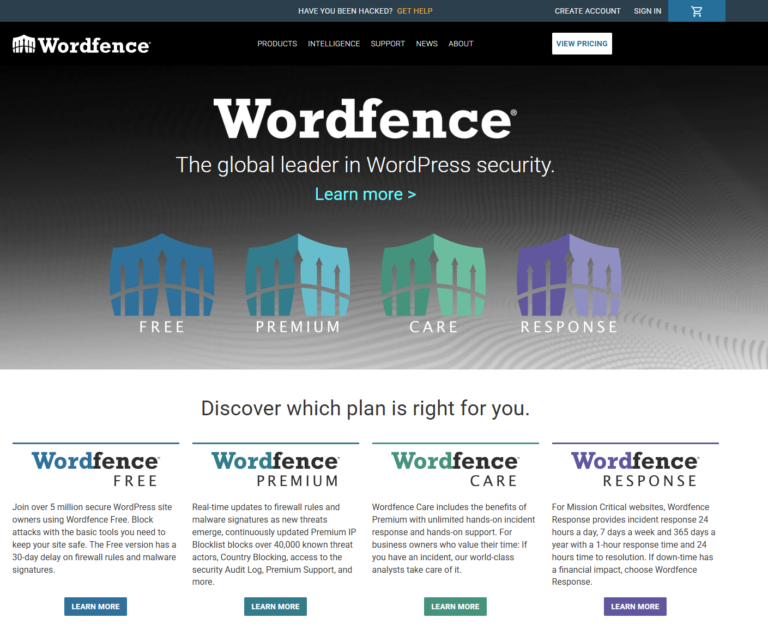
Free plan: Yes (genuinely capable) | Starting price: ~$99–119/year (Premium, 1 site) | Best for: WordPress sites wanting firewall and malware scanning inside the dashboard
Wordfence is the most widely used WordPress security plugin, and unlike Sucuri or Cloudflare, it runs entirely inside your WordPress installation rather than at the network edge. For WordPress site owners who want firewall and scanning capability without leaving their dashboard or configuring external services, Wordfence remains the most practical option.
What Wordfence’s free tier includes — and it is worth emphasising how capable the free version actually is:
- Endpoint firewall (WAF) running at the PHP level inside WordPress, analysing incoming traffic and blocking known attack patterns
- Malware scanner that compares your files against known-good versions and scans core files, plugins, and themes for malicious code
- Login security — two-factor authentication, login page CAPTCHA, and rate limiting on login attempts, addressing one of the most common attack vectors on WordPress sites: brute-force login attempts
Premium, at $99–119/year for one site, adds real-time firewall rule updates (the free version receives rules with a 30-day delay), country blocking, and premium support.
The honest trade-off: because Wordfence runs inside WordPress at the application level, it adds server load that a cloud-based WAF like Sucuri or Cloudflare does not — security plugins are commonly cited as a performance cost on shared hosting specifically. It is also WordPress-only, with no CDN or off-server protection. For sites already on hosting with strong server-level security (Imunify360, Cloudflare Enterprise via the host), Wordfence may be redundant rather than additive.
Best for: WordPress site owners who want capable, dashboard-native firewall and scanning, especially on the free tier.
Not ideal for: Non-WordPress sites, or WordPress sites on hosting that already includes server-level security — check with your host before adding a second firewall layer.
4. Let’s Encrypt — Best Free SSL Certificate
Free plan: Yes (fully free, no paid tier) | Starting price: Free | Best for: Personal sites, blogs, and small businesses needing basic domain validation SSL
Let’s Encrypt is a free, automated, non-profit certificate authority that now secures the encryption layer for the majority of the web. For most small business websites, it provides exactly the same core encryption as a paid SSL certificate, with no meaningful security difference in the connection itself.
What’s changed in 2026 that makes this more relevant: certificate lifetimes are shifting from the traditional 90-day standard toward 45 days industry-wide, driven by Google and Apple. This makes automated renewal non-negotiable — a certificate you forget to renew manually will now expire roughly twice as often as it used to. Let’s Encrypt’s certificates renew automatically via the ACME protocol when configured correctly, which is precisely the workflow modern SSL management requires.
What Let’s Encrypt provides:
- Domain Validation (DV) SSL — verifies you control the domain and encrypts the connection, identical in encryption strength to paid DV certificates
- Fully automated issuance and renewal via the ACME protocol — most hosts (including SiteGround, which offers free wildcard certificates) handle this without any manual configuration required
- No cost at any scale — unlimited certificates, unlimited domains, no recurring fee
The honest trade-off: Let’s Encrypt issues Domain Validation certificates only — it does not offer Organisation Validation (OV) or Extended Validation (EV), which display your verified business name in certificate details and carry more weight for ecommerce, fintech, or B2B platforms where institutional trust signals matter to buyers. For most small business and content sites, this distinction is invisible to visitors and irrelevant to security.
Best for: The large majority of small business websites, blogs, portfolios, and content sites — there is no meaningful reason not to use it.
Not ideal for: Ecommerce platforms handling high transaction volumes, financial services, or B2B platforms where the legal verification and trust signals of an OV/EV certificate carry commercial weight.
5. DigiCert — Best Paid SSL for Ecommerce and Finance
Free plan: No | Starting price: ~$218/year (depending on validation level) | Best for: Ecommerce, financial services, and businesses needing verified organisational identity
DigiCert is one of the most established commercial certificate authorities, and its value proposition over Let’s Encrypt is specifically about organisational verification rather than encryption strength. For businesses where customer trust signals and legal accountability matter — payment processing, financial services, healthcare data — DigiCert’s Organisation Validation and Extended Validation certificates provide a verification layer Let’s Encrypt does not offer.
What DigiCert provides beyond basic encryption:
- Organisation Validation (OV) and Extended Validation (EV) certificates that verify your registered business identity, not just domain ownership
- Warranty coverage — commercial certificates typically include financial warranties in the event of a security breach related to certificate misissuance, which free certificates do not provide
- Dedicated support — for businesses managing certificates across multiple domains or subdomains at scale, direct support from the certificate authority has practical value that free, community-supported alternatives do not match
The honest trade-off: the price difference is significant — Let’s Encrypt is free and DigiCert starts around $218/year — for a difference that is, for most visitors, invisible. The decision genuinely comes down to whether your specific business model benefits from the organisational verification, not whether your connection is “more secure” in a technical sense.
Best for: Ecommerce stores, financial platforms, and B2B businesses where institutional trust signals and warranty coverage justify the cost.
Not ideal for: Small businesses, blogs, and content sites — Let’s Encrypt provides equivalent encryption at no cost.
6. MalCare — Best Automated WordPress Malware Removal
Free plan: No (7-day trial) | Starting price: ~$99/year | Best for: WordPress site owners wanting automated, low-maintenance malware cleanup
MalCare positions itself specifically around automation — rather than requiring manual scanning and cleanup decisions, it uses automated detection to identify and remove malware without significant owner intervention, which matters for small business owners without technical security expertise.
What MalCare provides:
- Automated malware removal — once detected, cleanup happens automatically rather than requiring a support ticket and waiting period, a meaningful difference from how Sucuri and SiteLock typically operate
- Off-server scanning — scans run on MalCare’s infrastructure rather than your hosting server, avoiding the performance hit that in-dashboard scanners like Wordfence can cause on shared hosting
- One-click WordPress hardening — applies common security best practices (disabling file editing, hiding WordPress version, login protection) without manual configuration
The honest trade-off: MalCare is WordPress-only, and its firewall is less mature than Wordfence’s or Cloudflare’s at blocking sophisticated attack patterns — its core strength is cleanup speed and automation, not prevention depth. For sites that have not yet been compromised and want primarily preventative protection, Wordfence or Cloudflare are the stronger first layer.
Best for: WordPress site owners who want hands-off, automated malware cleanup without manual intervention or long cleanup wait times.
Not ideal for: Non-WordPress sites, or businesses wanting the most robust preventative firewall as the primary layer.
7. SiteLock — Best Bundled Security for Shared Hosting Customers
Free plan: No (trial only) | Starting price: ~$200+/year | Best for: Businesses already on hosting plans that bundle SiteLock, or wanting an all-in-one scanning and removal package
SiteLock is most commonly encountered as a bundled add-on through hosting providers like GoDaddy, rather than purchased independently — its daily scanning, vulnerability detection, and cleanup service cover similar ground to Sucuri, with the main practical difference being its common bundling into hosting checkout flows.
What SiteLock provides:
- Daily automated scanning for malware, cross-site scripting vulnerabilities, and SQL injection risks
- Email blacklist monitoring — checks whether your domain has been flagged for spam or malicious activity that could affect email deliverability, a layer most pure WAF tools do not cover
- CodeGuard backup integration — for sites needing more robust backup than SiteLock’s basic feature, pairing with a dedicated backup tool like CodeGuard is commonly recommended
The honest trade-off: SiteLock’s standalone pricing is among the highest in this category, and most independent reviews note that its value is strongest specifically when bundled into a hosting plan rather than purchased separately at full price. If you are evaluating it as a standalone purchase rather than an included hosting feature, Sucuri or MalCare typically deliver comparable protection at a lower direct cost.
Best for: Businesses whose hosting plan already includes SiteLock as a bundled feature, getting value from a service they are already paying for indirectly.
Not ideal for: Anyone purchasing security tools independently — better value is available elsewhere in this list at standalone pricing.
8. Patchstack — Best for Plugin Vulnerability Management
Free plan: Yes (limited) | Starting price: ~$99/year | Best for: WordPress sites running many third-party plugins
Patchstack addresses a specific and underrated risk: the majority of WordPress security breaches originate not from WordPress core but from vulnerabilities in third-party plugins and themes that have not been updated. Patchstack specialises in tracking and virtually patching known plugin vulnerabilities, often before the plugin developer has shipped an official fix.
What Patchstack provides:
- Vulnerability database monitoring — tracks disclosed vulnerabilities across the WordPress plugin ecosystem and alerts you if any installed plugin is affected
- Virtual patching — applies a firewall-level fix for known vulnerabilities before an official plugin update is available, closing the exposure window that exists between disclosure and patch release
- Vulnerability disclosure coordination — for site owners and developers who want responsible disclosure handling if they discover an issue themselves
The honest trade-off: Patchstack is a specialist tool addressing one specific risk category rather than a comprehensive security suite — it does not replace a WAF or backup solution, and works best paired with one of those rather than standing alone.
Best for: WordPress sites running numerous third-party plugins, where the attack surface from outdated or vulnerable plugins is the primary concern.
Not ideal for: Sites with a minimal plugin footprint, or as a sole security layer without complementary firewall and backup protection.
9. UpdraftPlus — Best Backup and Disaster Recovery
Free plan: Yes (limited) | Starting price: ~$70/year | Best for: Any WordPress site that needs reliable, automated backups as a last line of defence
Backups are not prevention, but they are what determines whether a successful attack is a minor inconvenience or a business catastrophe. UpdraftPlus is the most widely used WordPress backup plugin, and its core value is simplicity: automated, scheduled backups stored off-server, with straightforward one-click restoration.
What UpdraftPlus provides:
- Automated scheduled backups — daily, weekly, or custom intervals, stored to cloud destinations (Google Drive, Dropbox, Amazon S3, and others) rather than on the same server that could be compromised
- One-click restore — critical during an active incident, where restoration speed determines downtime length
- Incremental backups on paid tiers, reducing storage costs and backup time for larger sites compared to full backups every time
The honest trade-off: UpdraftPlus is WordPress-specific and does not include any preventative security features — it is purely a recovery tool. It needs to be paired with a WAF or scanning tool, not used as a substitute for one. Off-site storage destination configuration also requires a small amount of setup that some less technical users find a barrier.
Best for: Every WordPress site, regardless of what other security tools are in place — backups are the one layer with no good substitute.
Not ideal for: Non-WordPress sites, or as a standalone security solution without complementary preventative tools.
10. Imunify360 — Best Server-Level Security (Via Hosting Providers)
Free plan: No (bundled with hosting) | Starting price: Often included with managed hosting plans | Best for: Businesses on hosting providers that include it, or hosting resellers
Imunify360 is fundamentally different from the other tools on this list: it is not something you typically purchase directly as a website owner, but a server-level security suite that hosting providers implement to protect every site on their infrastructure. If your hosting plan includes Imunify360, you may already have substantial protection that makes some plugin-level tools redundant.
What Imunify360 provides at the server level:
- Server-wide WAF and intrusion detection protecting all sites on the server, not just the individual site level
- Automated malware scanning and cleanup running at the infrastructure layer
- Proactive defence using machine learning to detect anomalous behaviour patterns before they match known attack signatures
The practical implication worth understanding: several managed WordPress hosting providers now bundle Imunify360 or equivalent server-level protection by default. If your host includes this, layering Wordfence’s application-level firewall on top can be redundant — running two overlapping firewalls is a known source of false positives and unnecessary server load, not additional security. Check what your hosting provider includes at the infrastructure level before adding plugin-based protection on top.
Best for: Confirming what protection you already have via your hosting provider before purchasing additional tools.
Not ideal for: Direct purchase by individual site owners — this is an infrastructure-level decision made by your hosting provider, not a tool you install yourself.
How to Build a Sensible Security Stack (Without Overpaying)
Most small business websites do not need all ten tools above. Here is a practical framework:
Minimum viable security for any small website: Free SSL (Let’s Encrypt, usually automatic through your host), Cloudflare’s free tier for WAF and DDoS protection, and automated backups (UpdraftPlus on WordPress). This costs nothing beyond your existing hosting and covers encryption, filtering, and recovery — the three layers that matter most.
If you run WordPress with several plugins: Add Wordfence’s free tier or Patchstack for plugin vulnerability monitoring specifically, since outdated plugins are the most common WordPress breach vector.
If your site handles payments or sensitive data: Consider upgrading from Let’s Encrypt to a paid OV/EV certificate from DigiCert, and upgrade Cloudflare to Pro for the full managed WAF ruleset.
If you have already been compromised: Sucuri or MalCare for cleanup is the priority — implement preventative tools afterward once the immediate infection is resolved.
Before adding anything: check what your hosting provider already includes. Many managed hosts bundle Cloudflare Enterprise, Imunify360, or equivalent server-level protection, which can make some plugin-level purchases redundant. Our guide to the best web hosting services in 2026 covers what security features are included across major providers.
Final Verdict
For most small business websites, the right starting stack is Cloudflare’s free tier for firewall and DDoS protection, Let’s Encrypt for SSL (usually automatic via your host), and UpdraftPlus for backups — covering the three categories that matter most at zero direct cost.
Wordfence is the right addition for WordPress sites wanting dashboard-native firewall and scanning, particularly on its capable free tier. Sucuri and MalCare earn their cost specifically when cleanup — not just prevention — is needed, with MalCare’s automation suiting less technical owners and Sucuri’s platform-agnostic approach suiting non-WordPress sites. Patchstack fills a specific and underrated gap for plugin-heavy WordPress installs. And before purchasing anything, check what your hosting provider already includes — Imunify360 and similar server-level protection are increasingly bundled, and redundant firewall layers cause more problems than they solve.
If you are still setting up your site’s foundation, our guide to the best web hosting services in 2026 and best website builders for small businesses cover the decisions that come before security — and once your site is secure, our guide to ecommerce marketing tools covers what comes next for growth.