
Last updated: November 2nd 2026 | Reading time: 21 minutes
Fact checked: Prices, free plans and features were checked against each vendor’s official pricing page or documentation on November 2, 2026. Where a vendor page hid its prices, we used a dated independent source and say so in the text. Rankings follow our weighted evaluation framework. We have not run independent benchmarks.
TL;DR: The Best AI Automation Tools in 2026
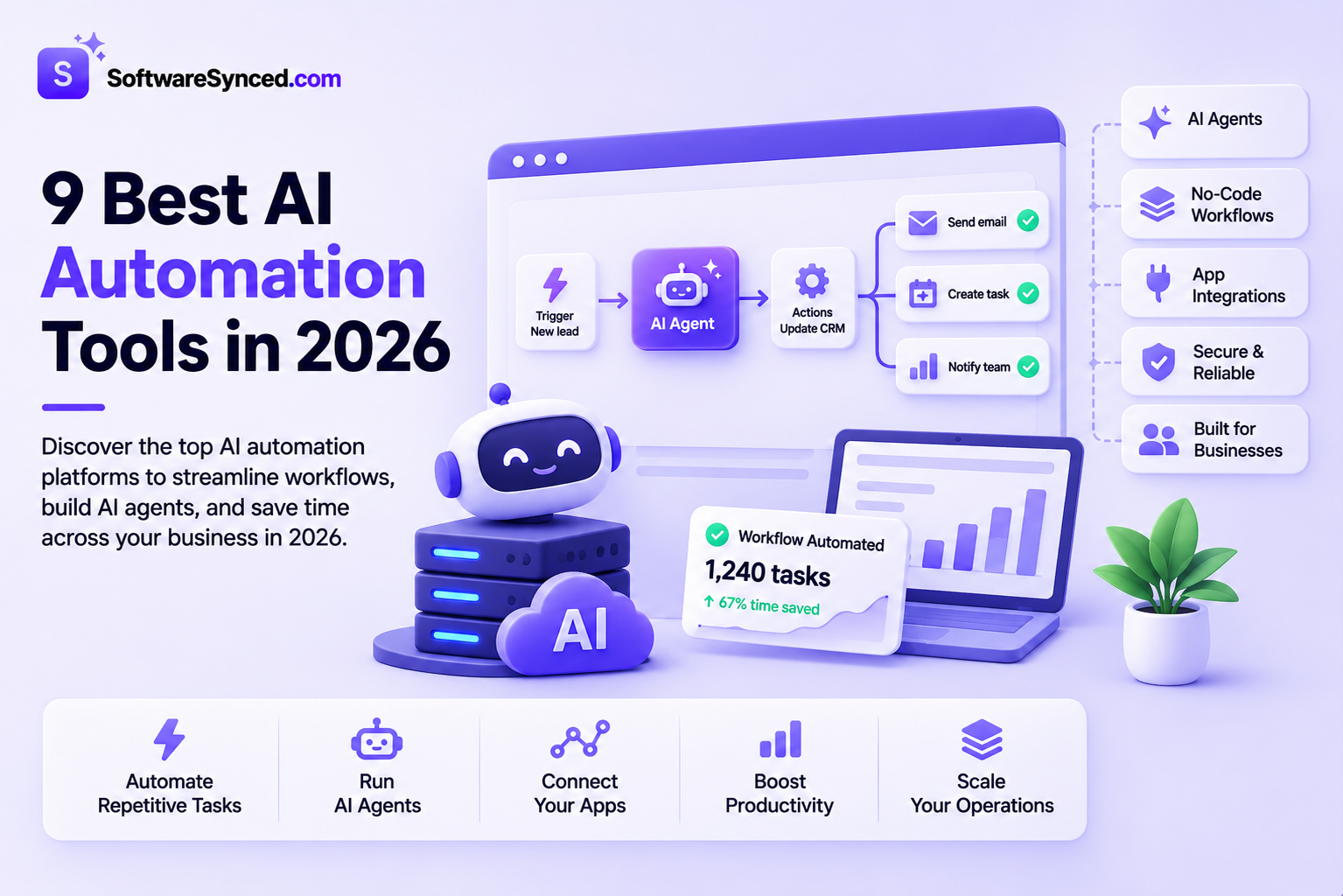
Zapier is the best overall AI automation tool, with 9,000+ app integrations and a free plan. Choose Make for complex visual workflows and n8n for self-hosting and custom AI agents. Power Automate suits Microsoft 365 teams, and Activepieces is the best open-source option. Pick Gumloop or Relevance AI for AI agents, Pipedream for developers and Workato for enterprise-wide automation.
The best AI automation tool in 2026 is Zapier, followed by Make for visual workflows and n8n for technical teams. Zapier ranks first because it connects 9,000+ apps and combines classic workflows, AI steps, AI agents and MCP in one platform. A non-technical owner builds a working automation on its free plan with no code.
Six other picks serve narrower needs. Microsoft Power Automate fits Microsoft 365 businesses, and Activepieces is the open-source alternative. Gumloop and Relevance AI focus on AI agents, Pipedream serves developers, and Workato serves enterprise IT teams.
Pricing is the hardest part of this comparison. These tools charge by tasks, credits, executions, users, bots or actions, and one unit never equals another. This guide explains each pricing unit in plain terms, so the starting prices make sense side by side. For more AI software picks, see our guide to AI-powered hosting solutions.
AI Automation Tools Compared
| Tool | Best for | Paid plans from | Free option | Hosting |
|---|---|---|---|---|
| Zapier | Overall automation | $19.99/month | Free plan, 100 tasks/month | Cloud |
| Make | Visual workflows | $9/month (annual) | Free plan, 1,000 credits/month | Cloud |
| n8n | Custom AI workflows | €20/month (annual) | Free self-hosted Community Edition | Cloud and self-hosted |
| Power Automate | Microsoft 365 businesses | $15/user/month (annual) | 30-day free trial | Cloud and desktop |
| Activepieces | Open-source automation | $20/month | Free plan, 1,000 credits | Cloud and self-hosted |
| Gumloop | AI-native workflows and agents | $37/month | 14-day free trial | Cloud |
| Relevance AI | AI agent teams | $19/month (annual) | No free plan for new sign-ups | Cloud |
| Pipedream | Developer automation | $99/month (annual) | Free plan for development only | Cloud |
| Workato | Enterprise automation | $75/month (Workato Pro) | Free plan, 50,000 one-time credits | Cloud |
Prices checked November 2, 2026. Billing units differ between tools, so compare the next table before comparing prices.
How Do AI Automation Tools Charge?
AI automation tools charge by seven different pricing units, so a lower headline price does not mean a lower bill. Zapier counts tasks, Make and Activepieces count credits, and n8n counts executions. Power Automate charges per user or per bot. Relevance AI counts actions plus vendor credits for AI models. The right comparison starts with how many times your workflows run each month.
| Tool | Pricing unit | What counts as one unit | What this means in practice |
|---|---|---|---|
| Zapier | Tasks | Each successful action step in a Zap | A 5-step Zap uses up to 5 tasks per run |
| Make | Credits | Most module actions use 1 credit | Longer scenarios use more credits per run |
| n8n | Executions | One full run of a workflow, at any length | Long workflows cost the same as short ones |
| Power Automate | Users or bots | One licensed user, or one unattended bot | Cost grows with headcount, not run volume |
| Activepieces | Credits | Actions, plus 2–20 credits per AI step | AI-heavy flows use credits faster |
| Gumloop | Credits | Model usage, tool calls and compute time, plus an 8% fee | AI cost depends on the model and run length |
| Relevance AI | Actions + vendor credits | Each agent tool call, plus AI model usage | Two allowances to monitor |
| Pipedream | Credits | 30 seconds of compute per action or tool call | Fast steps cost less than slow ones |
| Workato | Credits | Shared pool across workflows, AI and agents | One balance covers every capability |
Several platforms add a second cost layer for AI steps. Zapier bills AI by Zapier steps at 1x, 3x or 5x the normal task cost, depending on the model tier. Activepieces charges 2, 10 or 20 credits per AI step. As a result, the same workflow costs more once it calls an AI model.
1. Zapier: Best Overall AI Automation Tool
Price: Free; Professional from $19.99/month; Team from $69/month | Best for: Small businesses, marketing teams and non-technical users
Zapier is the best overall AI automation tool because it pairs the largest app library with a no-code builder and built-in AI. Zapier connects 9,000+ apps through multi-step workflows called Zaps. Each Zap runs on a trigger, such as a new form entry, and performs actions in other apps. Filters, paths, loops, webhooks and schedules handle more complex logic. The free plan includes 100 tasks per month.
Zapier’s AI layer has four parts. AI by Zapier adds AI steps inside a Zap, such as summarising an email or classifying a lead. Zapier Copilot builds Zaps from a plain-English description. Zapier MCP lets AI assistants, such as Claude or ChatGPT, run Zapier actions, with two tasks used per MCP tool call. Zapier Agents run as a separate product, with 400 free activities per month and a Pro plan at $33.33 per month on annual billing.
AI steps changed pricing on June 15, 2026. From that date, AI by Zapier steps cost 1x, 3x or 5x the normal task cost, depending on the model tier. A Zap also pauses for approval once a single AI step reaches 75 tasks in one run.
| Pros | Cons |
|---|---|
| 9,000+ app integrations | Task costs rise quickly at high volume |
| Free plan with 100 tasks per month | AI steps cost up to 5x the normal task rate |
| Copilot builds Zaps from plain English | Agents and Chatbots are priced separately |
| MCP access on every account | Complex Zaps need careful testing |
The honest trade-off: Zapier’s task-based pricing gets expensive at scale. A busy multi-step Zap uses several tasks per run, and AI steps multiply that cost.
Best for: Small businesses and marketing teams that want automation without code.
Not ideal for: High-volume workflows where per-step pricing adds up fast.
2. Make: Best Visual Workflow Automation Tool
Price: Free; Core from $9/month; Pro from $16/month (annual, 10,000 credits) | Best for: Operations teams building complex, multi-branch workflows
Make is the best visual workflow automation tool because its scenario builder shows every step, branch and data path on one canvas. Make connects 3,000+ native apps. Its builder supports routers for conditional branches, data transformation, iterators and custom API calls. The free plan includes 1,000 credits per month. Most module actions use one credit each.
Make’s AI features sit inside the same canvas. Make AI Agents handle goal-based tasks inside scenarios, and the AI Toolkit adds steps for summarising, classifying and extracting data. All paid plans connect a custom AI provider, such as OpenAI or Anthropic, since a November 2025 pricing update.
Entry pricing is low for Make’s depth. At 10,000 credits per month, Core costs $9 per month on annual billing or $10.59 on monthly billing. Pro costs $16 per month annually, and Teams costs $29.
| Pros | Cons |
|---|---|
| Visual canvas shows every branch and data path | Large scenarios become hard to maintain |
| Core plan from $9/month on annual billing | Credit use needs regular monitoring |
| 1,000 free credits per month | Steeper learning curve for beginners |
| Custom AI provider on all paid plans | Unused credits expire each term |
The honest trade-off: Make’s flexibility comes with more setup work. Complex scenarios with many routers take longer to debug and document.
Best for: Operations teams and growing businesses that automate multi-step processes.
Not ideal for: Beginners who want a working automation in minutes.
3. n8n: Best for Technical Users and Custom AI Workflows
Price: Free self-hosted; Starter €20/month; Pro €50/month (annual) | Best for: Developers, technical teams and agencies building custom AI agents
n8n is the best AI automation tool for technical users because it combines a visual builder with code, self-hosting and AI agent nodes. Workflows mix drag-and-drop nodes with JavaScript or Python code steps. The free Community Edition runs on your own server. n8n Cloud plans start at €20 per month on annual billing.
Pricing on n8n is per execution. One execution is one full run of a workflow, at any number of steps. Starter includes 2,500 executions per month, and Pro includes 10,000. That model favours long, multi-step workflows, which cost more on per-step platforms.
AI features include AI Agent nodes, MCP client and server support, and human approval steps before sensitive actions. Self-hosted users connect their own AI API keys. The Business plan costs €667 per month on annual billing and runs self-hosted only, with SSO, Git version control and queue mode.
| Pros | Cons |
|---|---|
| Free self-hosted Community Edition | Steeper learning curve than no-code tools |
| Execution pricing suits long workflows | Self-hosting needs server maintenance |
| JavaScript and Python code steps | Prices are in euros |
| AI Agent nodes and MCP support | Business plan is self-hosted only |
The honest trade-off: n8n gives full control, but that control needs technical skill. Self-hosted teams handle updates, backups and security themselves.
Best for: Developers and technical teams building custom AI workflows.
Not ideal for: Non-technical owners who want a fully managed tool.
4. Microsoft Power Automate: Best for Microsoft 365 Businesses
Price: Premium $15/user/month; Process $150/bot/month (annual) | Best for: Microsoft 365 users, IT departments and larger organisations
Microsoft Power Automate is the best AI automation tool for Microsoft 365 businesses because it connects natively to Outlook, Teams, SharePoint, Excel and Dynamics 365. It automates both cloud workflows and desktop tasks through robotic process automation (RPA). Copilot builds flows from a plain-language description. A 30-day free trial covers cloud flows with standard connectors.
The Premium plan costs $15 per user per month on annual billing. It includes cloud flows, attended desktop flows and process mining with 50 MB per user. The Process plan costs $150 per bot per month and adds unattended desktop automation. Hosted Process costs $215 per bot per month and adds a Microsoft-hosted virtual machine.
RPA works like a digital employee clicking through an old desktop app. That makes Power Automate useful for legacy systems with no API.
| Pros | Cons |
|---|---|
| Native Microsoft 365 integration | Licensing has several layers |
| Cloud and desktop (RPA) automation | Less suited to non-Microsoft stacks |
| Approval workflows and governance tools | Copilot Studio credits are billed separately |
| Premium from $15/user/month | Unattended bots cost $150+/month each |
The honest trade-off: Power Automate’s licensing is complex. Premium connectors, unattended bots and Copilot Studio credits each carry separate costs.
Best for: Organisations that run on Microsoft 365.
Not ideal for: Small teams built on Google Workspace or other non-Microsoft tools.
5. Activepieces: Best Open-Source AI Automation Alternative
Price: Free; Plus $20/month; Team $200/month | Best for: Developers, privacy-conscious businesses and open-source teams
Activepieces is the best open-source AI automation tool because it pairs an open-source core with AI agents, MCP servers and self-hosting. The visual builder covers 770+ integrations, which Activepieces calls pieces. The free plan includes 1,000 credits and up to 5 users. Every plan runs in the cloud or on your own servers.
AI agents and chat are included on every plan, including Free. AI steps cost 2, 10 or 20 credits, depending on the model tier. Plus and higher plans cut each AI step to 1 credit with your own AI provider keys.
Paid pricing is flat. Plus costs $20 per month for 10,000 credits and up to 5 users. Team costs $200 per month for 50,000 credits, 25 users and SSO. Extra credits cost $0.007 each, and annual billing saves two months.
| Pros | Cons |
|---|---|
| Open-source core with self-hosting | 770+ integrations, fewer than larger rivals |
| AI agents included on every plan | Self-hosting needs technical skill |
| Flat Plus plan at $20/month for 5 users | Enterprise features need Team or Ultimate |
| Own AI keys reduce AI step costs | AI steps cost up to 20 credits each |
The honest trade-off: Activepieces has a smaller app library than the largest platforms. Teams with niche apps check the pieces directory before committing.
Best for: Privacy-conscious businesses and developers who want open-source automation.
Not ideal for: Teams that rely on rare apps with no Activepieces piece.
6. Gumloop: Best AI-Native Workflow Automation Platform
Price: Pro from $37/month; Enterprise custom | Best for: AI-focused teams automating research, data and operations tasks
Gumloop is the best AI-native automation platform because it is built around AI agents rather than app-to-app triggers. Teams build agents for tasks such as lead research, data enrichment and reporting. Pro supports 35+ AI models through your own API keys. Pro also includes unlimited agents, seats and teams.
No free plan exists for Gumloop. Pro starts at $37 per month with 20,000 credits and a 14-day free trial. One credit costs $0.005, so $1 buys 200 credits. Compute time costs 5 credits per session-minute.
Gumloop adds an 8% orchestration fee on model, tool and compute usage. That fee rises to 16% with your own API keys. Gumloop’s older workflow builder now sits under “Workflows (Legacy),” as the platform moves to agents first.
| Pros | Cons |
|---|---|
| Built around AI agents | No free plan |
| 35+ AI models through your own keys | 8% orchestration fee, 16% with own keys |
| Unlimited agents and seats on Pro | Credit costs vary by model and run time |
| 14-day free trial | Classic workflows moved to a legacy builder |
The honest trade-off: Gumloop’s usage pricing makes costs hard to forecast. Model choice, run length and the orchestration fee all change the final bill.
Best for: AI-first teams running research and data workflows.
Not ideal for: Businesses that only need to connect apps with fixed rules.
7. Relevance AI: Best for Building AI Agent Teams
Price: Pro $19/month; Team $234/month (annual) | Best for: Sales teams, marketing agencies and customer operations teams
Relevance AI is the best tool for building AI agent teams because its Workforces let several specialised agents work together on one process. For example, one agent researches prospects, a second qualifies leads, and a third updates the CRM. Agents are built without code and run on schedules or triggers. Human oversight steps escalate tasks for review.
Two allowances control Relevance AI costs. Actions count each time an agent runs a tool. Vendor credits cover AI model and tool usage, passed through at wholesale rates.
Pro costs $19 per month on annual billing, or $29 on monthly billing. It includes 2,500 actions and 10,000 vendor credits per month. Team costs $234 per month on annual billing, or $349 monthly, with 7,000 actions and 5 build users. The free plan is no longer available for new sign-ups.
| Pros | Cons |
|---|---|
| Multi-agent Workforces | No free plan for new sign-ups |
| No-code agent builder | Two allowances to monitor |
| Human oversight and escalation steps | Team plan costs $234+/month |
| Own API keys bypass vendor credits | Extra actions cost $80 per 1,000 |
The honest trade-off: Relevance AI is built for agents, not for routine app-to-app automation. Teams that only move data between apps pay for capabilities they never use.
Best for: Sales and marketing teams building multi-step AI agent processes.
Not ideal for: Businesses that need basic trigger-and-action automation.
8. Pipedream: Best for Developers and API-Based Automation
Price: Free for development; Startup $99/month (annual) | Best for: Developers, startups, SaaS companies and technical teams
Pipedream is the best automation tool for developers because it combines code-level control with 3,000+ prebuilt connectors. Developers write workflow steps in JavaScript or Python and use 10,000+ prebuilt tools and triggers. Pipedream manages authentication for connected APIs. MCP server access is included on every plan.
The free plan covers every feature in development, with unlimited team members. Production workflows need the Startup plan. Startup costs $99 per month on annual billing, or $150 on monthly billing.
Startup includes 10,000 usage credits and 100 external users. One credit covers 30 seconds of compute per action, MCP tool call or trigger event. Extra credits cost $0.012 each.
| Pros | Cons |
|---|---|
| 3,000+ connectors and 10,000+ tools | Production starts at $99/month |
| JavaScript and Python steps | Built for developers, not non-technical users |
| Managed API authentication | Free plan covers development only |
| MCP servers on every plan | Business plan pricing is quote-only |
The honest trade-off: Pipedream is free to build on, but production use starts at $99 per month. That entry price is higher than most no-code alternatives.
Best for: Developers building API integrations and AI-powered app features.
Not ideal for: Non-technical users who want a visual, no-code builder.
9. Workato: Best Enterprise AI Automation Platform
Price: Free (one-time credits); Workato Pro from $75/month; Enterprise by quote | Best for: Large businesses and enterprise IT teams
Workato is the best enterprise AI automation platform because it runs automation, integration and AI agents across whole organisations with central governance. It connects applications, data systems and APIs in one platform. Agent Studio builds AI agents, which Workato calls Genies. Genies use business knowledge and run predefined workflows across connected apps.
Self-service plans are now available on Workato. Workato Free includes a one-time grant of 50,000 credits. Workato Pro starts at $75 per month for 2,500 credits and rises to $1,275 per month for 50,000 credits. Pro credits expire at the end of each month.
Enterprise pricing is usage-based and quote-only. Editions run from Standard to Workato ONE. Agent Studio is included in Workato ONE, and pre-packaged Genies are a paid add-on.
| Pros | Cons |
|---|---|
| Built for enterprise-scale automation | Enterprise pricing is quote-only |
| Agent Studio and Genies for AI agents | Unused Pro credits expire monthly |
| Central governance and security controls | Implementation needs technical resources |
| Self-service Free and Pro plans | Higher entry price than SMB tools |
The honest trade-off: Workato’s enterprise power comes with enterprise pricing. Full Agent Studio access needs the top Workato ONE edition.
Best for: Large organisations automating across many departments and systems.
Not ideal for: Solo owners and very small businesses.
Which AI Automation Tool Should You Choose?
The right AI automation tool depends on who builds the workflows and what they automate. Non-technical teams get the fastest results from Zapier or Make. Technical teams get more control from n8n or Pipedream. Teams building AI agents get more from Relevance AI or Gumloop. Microsoft-based organisations fit Power Automate, and large enterprises fit Workato.
| Requirement | Recommended platform |
|---|---|
| Automating everyday business tasks | Zapier |
| Building complex visual workflows | Make |
| Custom AI agents and self-hosting | n8n |
| Microsoft 365 automation | Power Automate |
| Open-source automation | Activepieces |
| AI-powered research and data workflows | Gumloop |
| Building specialised AI agent teams | Relevance AI |
| Custom APIs and developer integrations | Pipedream |
| Enterprise-wide automation | Workato |
What Are the Best AI Automation Tools for Small Businesses?
The best AI automation tools for small businesses are Zapier and Make. Zapier offers the most app integrations and the fastest setup. Make costs less at entry level and suits multi-branch processes. Activepieces is the open-source choice, with 5 users on its $20 Plus plan. n8n suits small businesses with a technical team member.
What Are the Best AI Automation Tools for Developers?
The best AI automation tools for developers are n8n and Pipedream. n8n combines a visual canvas with code steps and self-hosting. Pipedream is code-first, with managed authentication for 3,000+ APIs. Choose n8n to self-host and price by execution. Choose Pipedream for API-heavy integrations in a managed cloud.
What Are the Best AI Automation Tools for AI Agents?
The best AI automation tools for AI agents are Relevance AI, Gumloop and n8n. Relevance AI coordinates teams of specialised agents through Workforces. Gumloop builds standalone agents across 35+ AI models. n8n adds AI Agent nodes inside custom workflows, with human approval steps. The three differ in how much code and control each one requires.
What Is AI Automation Software?
AI automation software is workflow automation with AI steps that interpret, generate and classify information. Traditional automation follows fixed rules, such as adding every form entry to the CRM. AI automation adds steps that read the content first, such as sorting a message by intent. The workflow then acts on the AI’s output.
A contact form shows the difference clearly.
Traditional automation:
- A customer submits a contact form.
- The system adds the customer to the CRM.
- A confirmation email goes out.
- The sales team receives a notification.
AI-powered automation:
- A customer submits a contact form.
- AI analyses the message.
- The system categorises the lead.
- AI drafts a personalised response.
- The lead goes to the right sales representative.
AI output is not guaranteed to be accurate. Keep a human review step for anything sent to customers or written to financial records.
AI Automation vs. Traditional Workflow Automation
AI automation and traditional workflow automation share the same foundation of triggers, actions and conditions. AI automation adds language understanding, content generation and classification on top. The table shows where the two differ.
| Feature | Traditional automation | AI automation |
|---|---|---|
| Rule-based triggers | Yes | Yes |
| Data transfer between apps | Yes | Yes |
| Conditional logic | Yes | Yes |
| Natural-language processing | Needs external tools | Built in |
| Content generation | Not built in | Built in |
| Contextual classification | Limited | Built in |
| Adaptive decision-making | Limited | Available through AI agents |
| Human approval | Supported | Supported |
What Are AI Agents?
AI agents are AI systems that use connected tools to complete a defined goal, choosing the steps themselves. A workflow follows a fixed path. An agent decides which tools to use and in what order.
An AI sales agent shows how this works. The agent receives a list of target companies. It researches each company, gathers contact details, scores each prospect against your criteria and prepares CRM updates for review. Agent autonomy differs between platforms, so check which actions need human approval before an agent goes live.
How We Evaluated These AI Automation Tools
We ranked each tool with a weighted editorial framework, based on official documentation and published pricing checked on November 2, 2026. The weights reflect what matters to business buyers. They are not independently measured performance scores.
- Automation capabilities (25%): Workflow complexity, conditional logic, triggers, scheduling and orchestration.
- AI features (20%): AI models, agent capabilities, natural-language processing and AI workflow steps.
- Integrations (20%): Available apps, API connectivity, custom integrations and MCP support.
- Ease of use (15%): Learning curve, interface and setup requirements.
- Pricing and value (10%): Entry costs, usage limits, pricing transparency and scalability.
- Security and reliability (10%): Governance, monitoring, approval controls and error handling.
Verification process: We reviewed official documentation and checked published pricing and usage allowances. We also compared integrations, deployment options, AI agents and human-approval features. We confirmed that all nine platforms are operating and accepting customers. Relay.app was excluded because it shut down in September 2026.
Final Verdict
Start with Zapier’s free plan if you have never automated a workflow. Pick one repetitive task, such as copying form leads into your CRM, and build it this week. Move to Make or n8n once your workflows need more branches, more volume or self-hosting.
Estimate monthly volume before choosing a paid plan. Count how many times each workflow runs, and how many steps each run takes. Then match that number to each tool’s pricing unit in the pricing table. Choose an AI agent platform, such as Relevance AI or Gumloop, only for tasks that need research or judgement, not fixed rules.
Automation works best alongside the rest of your software stack. Our guides cover website builders for small businesses, generative engine optimization platforms and more software comparisons.
Frequently Asked Questions
What is the best AI automation tool in 2026?
The best AI automation tool in 2026 is Zapier. It connects 9,000+ apps, offers a free plan and combines workflows, AI steps, agents and MCP. Make suits complex visual workflows, and n8n suits technical users.
Are there free AI automation tools?
Yes, Zapier, Make, n8n, Activepieces, Pipedream and Workato offer free options. Zapier includes 100 tasks per month, and Make includes 1,000 credits. n8n’s Community Edition is free to self-host, and Pipedream’s free plan covers development only.
What is the difference between AI automation and traditional automation?
The difference between AI automation and traditional automation is that AI automation reads and interprets content. Traditional automation follows fixed rules. AI automation adds language processing, content generation and classification.
Can AI automation tools replace employees?
AI automation tools replace repetitive tasks, not employees. They handle work such as data entry, lead sorting and first-draft replies. Human judgement stays essential for customer relationships and complex decisions.
Which AI automation tool is best for small businesses?
The best AI automation tools for small businesses are Zapier and Make. Zapier offers the fastest setup, and Make offers lower entry pricing. Activepieces is the open-source choice.
Can I build AI agents without coding?
Yes, Gumloop, Relevance AI, Zapier and Activepieces build AI agents without code. Each uses a visual or natural-language builder. Relevance AI also coordinates teams of agents through Workforces.
How much do AI automation tools cost?
AI automation tools cost from $9 to $37 per month at entry level for most platforms. Pipedream starts at $99 per month for production, and enterprise plans are quote-only. AI model usage and credits add to the base price.
Are AI automation tools safe for business use?
AI automation tools are safe for business use with the right controls in place. Set user permissions, monitor runs and add human approval steps for sensitive actions. Check each vendor’s security documentation before connecting customer data.